
Google Business Profile Optimization for Local Business | EliteStar Digital
Learn how Google Business Profile optimization helps local businesses improve Google Maps rankings, attract nearby customers, and generate more leads in 2026.
GOOGLE BUSINESS PROFILE
EliteStar Digital Team
7/16/20262 min read
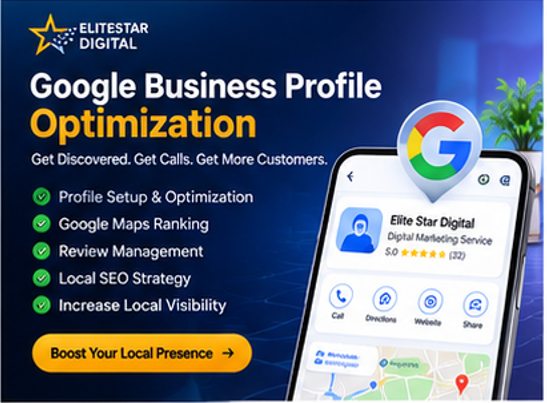
Google Business Profile Optimization: The Ultimate Guide for Local Businesses in 2026
If you own a local business, your customers are searching for your services on Google every day. Whether you run a clinic, restaurant, coaching institute, real estate company, or service business, your Google Business Profile (GBP) can become one of your biggest sources of leads.
A well-optimized Google Business Profile helps your business appear in Google Search and Google Maps, making it easier for nearby customers to find and contact you.
What is Google Business Profile?
Google Business Profile (formerly Google My Business) is a free business listing provided by Google. It allows businesses to display important information such as:
Business Name
Phone Number
Website
Business Hours
Reviews
Photos
Services
Location or Service Area
When someone searches for your business or related services, your profile may appear in Google Search and Google Maps.
Benefits of Google Business Profile
1. Better Local Visibility
An optimized profile increases your chances of appearing in local search results and Google Maps.
2. More Customer Calls
Customers can contact your business directly from your profile without visiting your website.
3. More Website Visitors
Your Google Business Profile includes a direct link to your website, helping generate additional traffic.
4. Build Customer Trust
Businesses with complete profiles, positive reviews, and updated information appear more trustworthy.
5. Improve Local SEO
Google considers profile completeness, reviews, business information, and activity when ranking local businesses.
How to Optimize Your Google Business Profile
Complete Your Business Information
Make sure your profile contains:
Business Name
Website
Phone Number
Business Description
Business Hours
Services
Service Areas
Upload High-Quality Photos
Add professional images such as:
Company Logo
Cover Photo
Workspace
Team Photos
Service Graphics
Office Setup
Fresh images improve customer engagement.
Add All Services
List every service you offer, including:
Website Development
SEO Services
Google Business Profile Optimization
Meta Ads Management
Business Automation
Landing Page Design
Shopify Store Setup
WordPress Development
Collect Customer Reviews
Positive reviews help improve credibility and increase your chances of ranking higher in local search results.
Always respond professionally to every review.
Publish Regular Google Posts
Posting updates every week signals to Google that your business is active.
Share:
New Services
Offers
Tips
Case Studies
Blog Articles
Company Updates
Common Google Business Profile Mistakes
Avoid these mistakes:
Incomplete business information
Wrong phone number
Low-quality images
No reviews
Inconsistent business details
No regular updates
Missing service descriptions
Why Choose EliteStar Digital?
At EliteStar Digital, we help businesses improve their online visibility through:
Google Business Profile Optimization
Website Development
Search Engine Optimization (SEO)
Meta Ads Management
Business Automation Solutions
Our goal is to help businesses generate more leads, improve local rankings, and grow online with result-driven digital marketing strategies.
Conclusion
Google Business Profile is one of the most powerful free marketing tools for local businesses. A properly optimized profile helps you appear in local searches, attract nearby customers, increase calls, and generate quality leads.
If you want your business to rank higher on Google Maps and local search results, keeping your Google Business Profile updated and optimized should be a top priority.
Frequently Asked Questions
Is Google Business Profile free?
Yes, creating and managing a Google Business Profile is completely free.
How long does it take to rank on Google Maps?
It depends on competition, profile optimization, reviews, and business activity. Most businesses see improvements within a few weeks to a few months.
How often should I post on Google Business Profile?
Posting at least once every week is recommended to keep your profile active.
Can I use Google Business Profile without a physical office?
Yes. Service-based businesses can hide their address and define service areas instead.
Call to Action
Need Help Growing Your Business Online?
EliteStar Digital offers professional:
📞 Call: +91 9839 914 999
🌐 Website: https://elitestar.digital
© 2023-2026 EliteStar Digital. All Rights Reserved. Privacy Policy | Terms & Conditions